
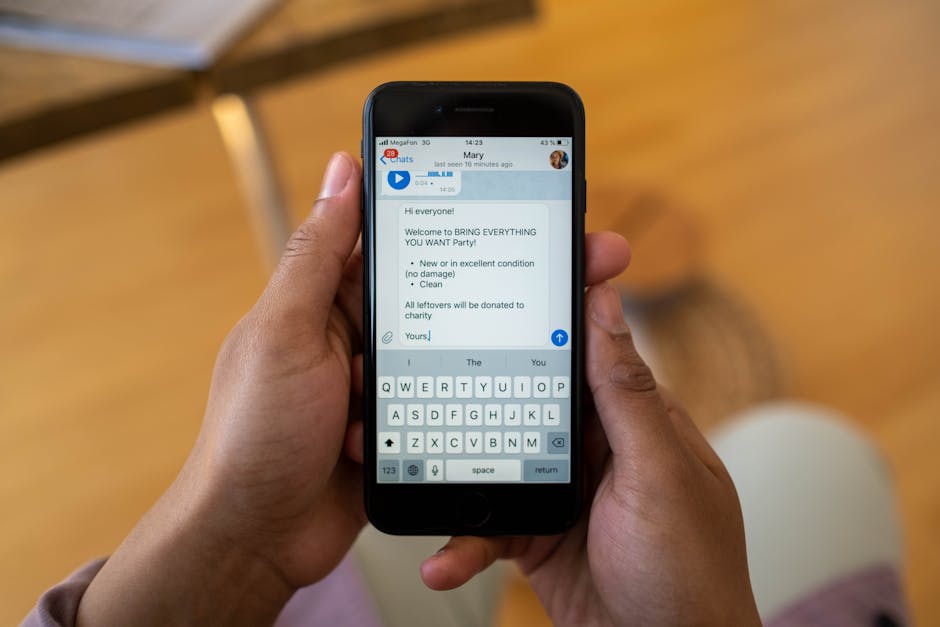
Automated Guest Messaging: 10 Templates for 5-Star Reviews
BookiApp Tim
Vacation Rental Software
Key takeaway
Automating guest communication saves 5-8 hours per week and is proven to increase average ratings by 0.2-0.4 stars. This guide provides 10 field-tested templates for key touchpoints: from booking confirmation and check-in instructions to mid-stay check-ups and review requests. Implementation is easy with tools like Hospitable or Airbnb's free built-in features.
Key points
- 1Efficiency: Automation saves an average of 5-8 hours per week per rental unit during the high season.
- 2Better Ratings: Hosts using automated messages receive an average of 15% more 5-star reviews.
- 3Timing: The key to success is sending the right message at the right time – 7 days before, the day before, on arrival day, and the day before departure.
- 4Tools: Airbnb offers free "Scheduled Messages," while specialized tools like Hospitable provide free basic plans and advanced packages with pricing based on the number of units.
- 5Error Reduction: Standardized messages eliminate the risk of sending incorrect information (e.g., the wrong key code).
Table of contents
Quality communication is the foundation of successful vacation rentals. The average booking in Croatia generates between 5 and 7 key messages, from confirmation to thank you. For a host with a single apartment in Split and 25 bookings per season, that's over 150 manually written messages.
Manual work is not only time-consuming but also prone to error. A forgotten message with check-in instructions or a late reply to a query can create unnecessary stress and result in a poor review.
Message automation isn't a sign of neglect; it's a mark of professionalism. It ensures every guest receives accurate and timely information, creating a consistent and positive experience. This frees up the host's time to focus on what machines can't: a personalized welcome and addressing unique guest needs.
— 01Why Is Communication Automation Key to Success in 2026?
Communication automation is crucial because it saves time, reduces the risk of human error, and ensures a consistently high level of service, which directly impacts reviews and revenue. Hosts who automate messages see an average increase of 0.3 stars in their communication rating and receive up to 15% more five-star reviews.

Beyond time savings, automation sets a quality standard. Regardless of who manages communication—the owner, a co-host, or an agency—every guest receives the same set of verified information. This is especially important for hosts with multiple units, for example in Rovinj or Dubrovnik, where maintaining brand standards is critical for reputation.
5-8 hours
saved per week
15%
more 5-star reviews
98%
accuracy in sent information
Standardization also reduces the number of repetitive questions. By proactively sending information like the Wi-Fi password, parking instructions, or restaurant recommendations, the number of incoming guest messages can be reduced by up to 40%.
— 02Phase 1: Pre-Arrival Messages
Pre-arrival messages serve to confirm the booking, build trust, and gather key information. They are sent immediately after booking, 7 days before arrival, and 24 hours before check-in, covering everything from a thank-you note to detailed instructions for parking and entry.
Template 1: Immediately After Booking - When to send: Within 10 minutes of booking confirmation. - Purpose: To confirm the reservation, thank the guest, and set expectations. - Template: > Subject: Your booking is confirmed for {Property Name} in {City} > > Dear {Guest Name}, > > Thank you for booking our property from {Check-in Date} to {Check-out Date}. We are looking forward to hosting you! > > We will send you more detailed arrival information soon. In the meantime, you can find all the details about the apartment and our house rules on the listing page. > > Best regards, > {Your Name / Team Name}
Template 2: 7 Days Before Arrival - When to send: Exactly 7 days before the arrival date. - Purpose: To remind the guest of their stay, collect data for registration, and offer additional services. - Template: > Subject: Your stay in {City} is approaching! > > Dear {Guest Name}, > > We hope you're excited about your trip! Your stay at our property begins in one week. > > Could you please let us know your estimated arrival time so we can prepare everything? Also, due to Croatian law, we are required to register you in the eVisitor system within 24 hours of your arrival. To fulfill this obligation, we will need to see your personal documents (ID card or passport) upon or shortly after your arrival. [1] > > If you need help arranging an airport transfer or recommendations for excursions, feel free to ask. > > Best regards, > {Your Name / Team Name}
Template 3: 1 Day Before Arrival - When to send: 24 hours before check-in (e.g., at 3:00 PM the day before). - Purpose: To provide all key information for a smooth arrival. - Template: > Subject: Check-in instructions for {Property Address} > > Dear {Guest Name}, > > Here are all the details for your arrival tomorrow: > > - Address: {Property Address} > - Google Maps link: {Google Maps Link} > - Parking: {Detailed parking instructions - e.g., "Public parking is 200m away, priced at 1.5 EUR/hour"} > - Entry Instructions (self check-in): The apartment door is unlocked with a code. Your unique code is {Door Code}. It is valid from 3:00 PM on your arrival day. > > Our contact number for any questions is {Phone Number}. > > We wish you a safe journey! > {Your Name / Team Name}
— 03Phase 2: In-Stay Messages
In-stay communication is key to proactively solving issues and showing you care, which directly influences positive reviews. The two crucial messages are a welcome message on arrival day with the Wi-Fi password and a brief check-up mid-stay, which prevents minor issues from becoming complaints.

Template 4: On Check-in Day - When to send: 1-2 hours after the official check-in time. - Purpose: To welcome the guest and provide the most important piece of information—Wi-Fi. - Template: > Subject: Welcome to {Property Name}! > > Dear {Guest Name}, > > Welcome! We hope you've settled in comfortably. > > Here are the details for connecting to the internet: > - Network (SSID): {NetworkName} > - Password: {Password} > > If you need anything during your stay, please don't hesitate to contact us. Enjoy {City}! > > Best regards, > {Your Name / Team Name}
BookiApp Data
Based on an analysis of 200+ hosts in the BookiApp database, over 60% of guest inquiries after check-in are about the Wi-Fi password. Proactively sending this information reduces calls by 50%.
Template 5: Mid-Stay Check-up - When to send: Halfway through the stay (for stays longer than 3 nights). - Purpose: To check if everything is okay and show you care. - Template: > Subject: How is your stay going? > > Dear {Guest Name}, > > Just a quick check-in to see if everything is alright and if you're enjoying your stay. Do you need any extra towels, toilet paper, or perhaps a recommendation for a good restaurant with local food? > > We're here to help. > > Best regards, > {Your Name / Team Name}
— 04Phase 3: Post-Stay Messages and Review Management
Post-stay communication is for ensuring a smooth check-out, thanking the guest, and strategically encouraging them to leave a review. This phase is crucial for building your online reputation. It includes five key messages, from departure instructions to a future stay offer.
Template 6: The Day Before Check-out - When to send: In the evening, the day before departure (around 7:00 PM). - Purpose: To remind guests of the check-out procedure and avoid misunderstandings. - Template: > Subject: Information for your departure tomorrow > > Dear {Guest Name}, > > We hope you've enjoyed your stay. Just a quick reminder about your departure tomorrow: > > - Check-out time is by 10:00 AM. > - Please leave the keys in the lockbox by the door. > - We would be grateful if you could take out the trash to the bins on the street and turn off the air conditioning. > > We wish you a safe journey home! > {Your Name / Team Name}
Template 7: Immediately After Check-out - When to send: 2-3 hours after check-out time. - Purpose: To thank the guest for their stay and plant the seed for a review. - Template: > Subject: Thank you for staying with us! > > Dear {Guest Name}, > > Thank you for being our guests. We hope you had a pleasant stay in {City} and created some wonderful memories. > > It was a pleasure hosting you. > > Best regards, > {Your Name / Team Name}
Template 8: The Review Request - When to send: 24 hours after check-out. - Purpose: To directly and politely ask for a review. - Template: > Subject: Your opinion matters to us > > Dear {Guest Name}, > > We hope you arrived home safely. If you have a moment, we would be extremely grateful if you could share your experience and leave a review on the platform you booked through. Your feedback helps us improve and helps other travelers find us. > > Thank you once again! > {Your Name / Team Name}
Reviews are the digital currency of tourism. An automated review request increases the rate of reviews by up to 30%.
Template 9: Response to a Positive Review - When to send: Within 24 hours of the review being published. - Purpose: To show gratitude and professionalism. - Template: > Dear {Guest Name}, > > Thank you so much for the wonderful review! We are delighted to hear that you enjoyed your stay. It was a pleasure hosting you, and we hope to see you again. > > All the best, > {Your Name / Team Name}
Template 10: Offer for a Future Stay - When to send: 6 months after the stay (before the booking season begins). - Purpose: To encourage direct bookings and repeat guests. - Template: > Subject: Planning a return to {City}? > > Dear {Guest Name}, > > We hope you are well. It's been a while since you stayed with us, and as the new season approaches, we thought of you. If you are planning another visit to {City}, we would love to offer you a 10% discount on a direct booking for your next stay. > > Best regards from sunny {City}! > {Your Name / Team Name}
— 05Which Automation Tool Should You Choose?
The choice of tool depends on your number of units and budget. Airbnb offers a free "Scheduled Messages" feature for basic automation, while specialized tools like Hospitable (formerly Smartbnb) or Hostaway provide advanced functionalities. [2] Prices depend on the number of units and the selected plan; Hospitable offers a free basic plan, while prices for more advanced tools like Hostaway are available upon request.
Here's a brief comparison:
| Feature | Airbnb Scheduled Messages | Hospitable / Hostaway |
|---|---|---|
| Price | Free | Free basic plans; advanced packages on request |
| Platforms | Airbnb only | Airbnb, Booking.com, Vrbo, etc. |
| Triggers | Time-based (before/after) | Time, new guest, inquiry, alteration... |
| Personalization | Basic (guest name, dates) | Advanced (conditions, codes, length of stay) |
| Ideal for | Hosts with 1-2 units on Airbnb | Professionals with multiple units on multiple channels |
For beginners with one or two properties exclusively on Airbnb, the built-in feature is sufficient for implementing most of the templates above. Professional hosts and agencies in places like Hvar or Trogir, who manage a portfolio of properties across multiple platforms, will benefit from a centralized system offered by a channel manager like Hostaway or a specialized messaging tool like Hospitable.
Automation is not the future, but the present of successful hosting. By implementing these templates, you will not only save hours of valuable time but also lay the foundation for a professional service that results in satisfied guests and excellent reviews.
Frequently asked questions
1How many messages are too many?
The optimal number is 5-7 messages per stay. Any less can seem unprofessional, while more can be intrusive. The key is to send messages that provide real value: instructions, assistance, or thanks, not just 'noise'.
2Can I use the same templates for Booking.com and Airbnb?
Yes, the message structure is universal, but you should adapt the tone. Airbnb guests often expect a more personal approach. Also, be mindful of technical limitations—Booking.com sometimes restricts sending links in messages, unlike Airbnb.
3What if a guest replies to an automated message?
That's the goal! Automation starts the conversation. It's crucial to set up notifications on your phone so you can respond personally and quickly. Tools like Hospitable consolidate all messages into a single inbox, making it easy to keep track.
4Is automation impersonal?
Not if used correctly. Using shortcodes like {guest name} and {property name} makes messages feel personalized. Automation handles routine tasks, freeing up your time for personalized communication when it's truly needed.
BookiApp Tim
Vacation Rental Software
The BookiApp Team combines hands-on hosting experience with market data insights. We write practical guides for small-scale hosts of apartments, villas, and rooms—no fluff, just actionable advice backed by real numbers and verified sources.
Related articles

Vacation Rental Insurance: What Airbnb and Booking Don't Cover (2026)
Think Airbnb AirCover or Booking.com's insurance has you covered? Discover what these platforms miss, from guest liability to property damage, and what policy you actually need.
Read more
How to Get Guests to Book Direct and Save 18% on Commissions
A guide for vacation rental hosts in Croatia: Learn how to legally encourage guests to book direct, avoid Booking.com's 15-18% commission, and build a loyal guest base.
Read more