
Apartment WiFi: How Slow Internet Cost Me €2,000 & My 5-Star Rating
BookiApp Team
Guest experience app for short-term rentals
Key takeaway
Most vacation rental WiFi is not good enough for today's guests. For 2026, the standard is a minimum of 50/10 Mbps per unit to support remote work and 4K streaming. Poor router placement is a common cause of bad reviews. Investing ~€200 in a Mesh system, not a cheap extender, is essential for securing 5-star ratings. A backup mobile hotspot is low-cost insurance against outages.
Table of contents
A common scenario for vacation rental hosts: a newly renovated apartment in Split is receiving stellar reviews. Then, a four-star review lands. The feedback is glowing—perfect location, impeccable cleanliness, great communication—but it contains a critical sentence: "...the WiFi was practically unusable in the evening." That single comment can lower a property's average rating, jeopardize Superhost status, and result in thousands of euros in lost potential bookings.
Many hosts underestimate their guests' internet needs, assuming a basic residential package is sufficient. This is a critical miscalculation. WiFi is no longer an "extra amenity"; it is basic infrastructure, as essential as hot water or electricity. A failure in WiFi is a failure in the core offering.
Guest expectations from 2016, when checking email was sufficient, are long gone. Today, in 2026, a typical guest family may include a parent working remotely with multiple daily video calls, another streaming 4K video, and children simultaneously using YouTube and TikTok. A host's internet infrastructure must handle this peak load. If it can't, the negative feedback won't be limited to the WiFi—it will lower the overall rating for damaging the vacation experience itself.
— 01How Fast is 'Fast Enough'? Real Numbers, Not Feelings
The first step is to align with guest expectations, not telecom marketing. When a listing advertises "Free WiFi," international guests expect performance equivalent to what they have at home in Germany, Austria, or the United States—not legacy speeds from a decade ago.
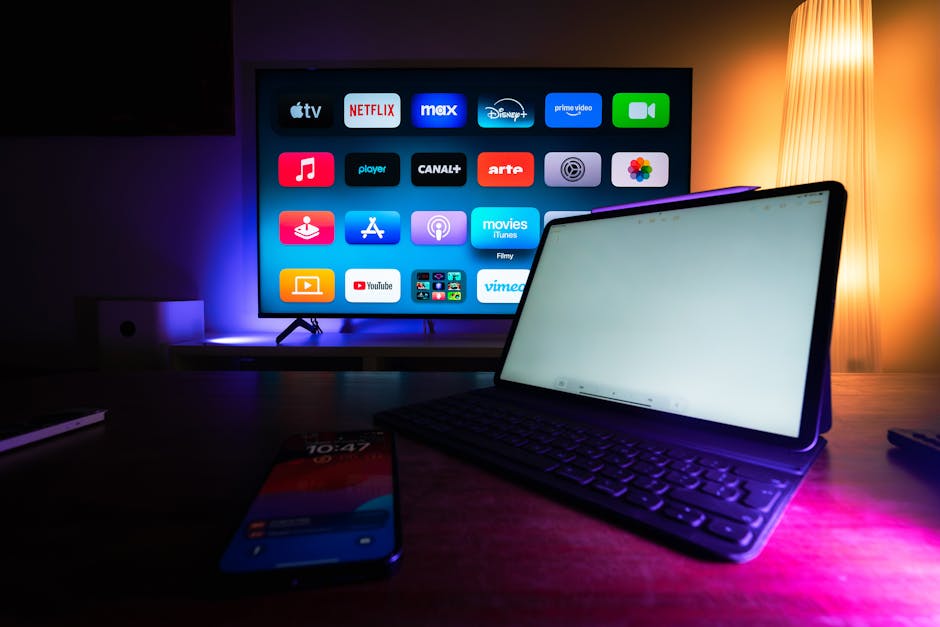
Testing speed in an empty apartment is misleading. A true performance test simulates a peak usage scenario: connect two laptops, start a 4K YouTube stream, fire up Netflix on a third device, and then try to make a video call. If all streams run without buffering, the network is robust.
For the 2026 season and beyond, these are the minimum speeds to provide per apartment:
- Minimum Download: 50 Mbps
- Minimum Upload: 10 Mbps
Download speed is crucial for streaming (Netflix, YouTube), while upload has become critically important for remote work (Zoom, Teams, sending large files). Many hosts overlook upload speed, leading to guest complaints about dropped connections during meetings.
Here’s what that looks like in practice, depending on the guests you host:
| Guests (Typical) | Typical Activity | Min. Download | Min. Upload |
|---|---|---|---|
| 1-2 (Couple) | 2x 4K Netflix, web browsing | 50 Mbps | 10 Mbps |
| 3-4 (Family) | 1x Zoom, 2x YouTube, 1x Netflix | 75 Mbps | 20 Mbps |
| 4-6 (Large group/Digital Nomads) | Multiple remote workers, gaming | 100+ Mbps | 25+ Mbps |
Hosts managing multiple units cannot share a single 50 Mbps residential line across several apartments; this is a recipe for negative reviews. The solution is either a dedicated business line with a guaranteed speed or, ideally, a separate line for each unit. The gold standard is fiber optics (optika). If available, the additional €10-15 per month is a negligible cost for the reliability it provides. This upgrade is one of the most effective marketing investments a host can make, regardless of the provider (A1, T-Com, Telemach).
— 02Where's Your Router? The #1 Mistake That Kills Your Signal
Even the fastest fiber optic connection is useless if the router is poorly placed. A common mistake is allowing the router to be installed in a location that is convenient for the technician but detrimental to the signal, such as a utility closet behind a metal door.
WiFi signals are radio waves. They don't pass well through thick walls (especially reinforced concrete or old Dalmatian stone), metal, or even water (aquariums, large water heaters).
The router must be placed in a central, open position within the apartment. It should not be in a closet, behind a television, or on the floor. The ideal placement is at a height of approximately 1.5 meters (5 feet) on a shelf or dresser in a central living area, allowing the signal to propagate to other rooms with minimal obstruction.
Places to NEVER put a router:
- In a metal fuse box (a common but disastrous placement seen in many rentals).
- Next to a microwave, cordless phone, or other devices that operate on the 2.4 GHz frequency.
- On the floor, behind a sofa or armchair.
- In the farthest corner of the apartment, far from the bedrooms where guests most often use their phones before bed.
Good locations for a router:
- On an open shelf in the living room.
- High on a wall in a central hallway (for smaller, more open-plan apartments).
- On a dresser, so it stands freely without obstructions.
To diagnose coverage issues, walk through the apartment using a WiFi signal strength app (like 'WiFi Analyzer'). Check the signal in the bedroom, on the balcony, and in the bathroom. If the signal strength drops by more than half, the property has a coverage problem that a faster internet plan alone cannot solve.
— 03Mesh vs. Extender: When It Pays to Invest a Little More
For larger apartments (over 60-70 m²), multi-story properties, or buildings with thick stone walls, a single router is insufficient. A frequent misstep is purchasing an inexpensive (€30) WiFi extender or repeater.
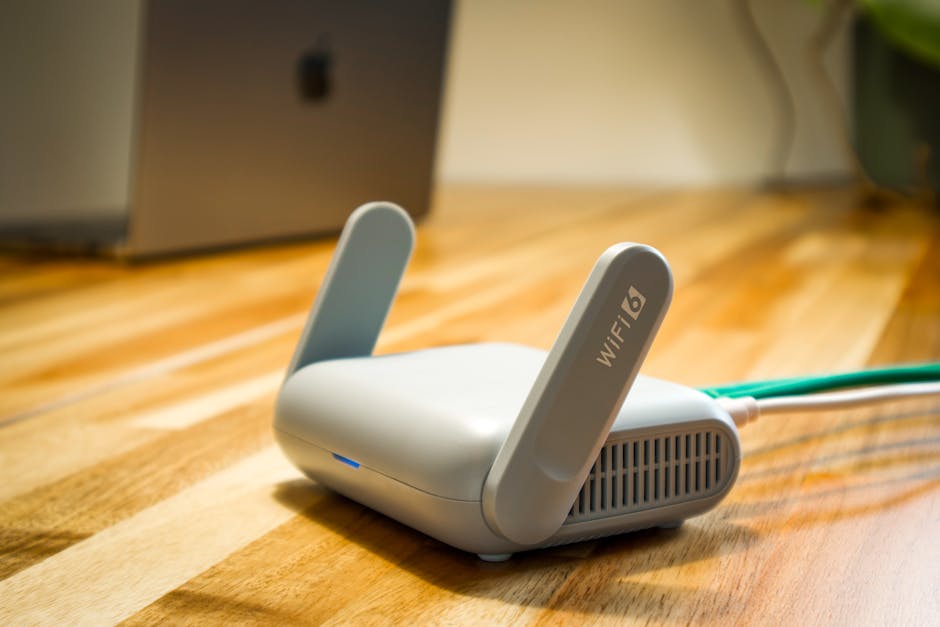
While extenders seem like a simple fix, they operate by capturing and re-broadcasting the existing signal. This process inherently cuts the maximum internet speed by at least half with each "hop" and significantly increases latency (lag). A guest may see full signal bars in the bedroom, but their actual connection speed could be unusably slow. Extenders also often create a separate network (e.g., ApartmentName_EXT), forcing guests to manually switch networks as they move, leading to frustration.
The professional solution is a Mesh system. This consists of two or three interconnected units that create a single, seamless, and intelligent WiFi network. One unit connects to the modem, while the others are placed strategically throughout the property. The system automatically directs devices to the unit with the strongest signal without interruption, using the same technology found in modern offices and hotels.
For example, in a typical 85 m² apartment in an old stone building, a single router often fails to provide adequate coverage. After failed attempts with extenders, investing €150-€300 in a system like the TP-Link Deco M4 (3-pack) can resolve the issue permanently. Setup is typically fast via a mobile app, and the result is consistent, high-speed coverage in every corner of the property—one of the best technical investments a host can make.
| Feature | WiFi Extender (Repeater) | Mesh System |
|---|---|---|
| Price (2026) | €20 - €50 | €150 - €300 (for 2-3 units) |
| Performance | Halves speed, increases lag | Maintains nearly full speed everywhere |
| Coverage | Patches one 'dead spot' | Seamless, whole-property coverage |
| Network | Creates a new network (SSID_EXT) | One single, seamless network (SSID) |
| Best for... | Apartments <50m² with one problem corner | Apartments >60m², houses, thick walls |
— 04How to Make It Crystal Clear for Guests (and Avoid 11 PM Calls)
After establishing a robust internet infrastructure, the final step is to ensure a seamless guest experience. Tired travelers do not want to search for a password on a sticker at the bottom of a router.
Create a professional, laminated or framed WiFi card. On it, clearly write:
- Network Name (SSID): e.g.,
ApartmentMore-5G - Password: e.g.,
SummerBeach2026(something memorable but not too simple)
And most importantly: generate a QR code for your WiFi. There are tons of free online tools for this (like qifi.org). The guest just opens their phone's camera, scans the code, and connects automatically. No typing passwords, no mistakes. This small touch wows guests.
Place this card in the most obvious spot: on the living room table, on the bedroom nightstand. If you have multiple rooms, put one in each.
Finally, a contingency plan is essential. Infrastructure outages due to storms or maintenance are common in coastal areas. Consider a scenario where a summer storm on an island like Brač knocks out internet for 48 hours. For digital nomad guests, this is a disaster that will lead to a 1-star review and a refund request. A backup mobile hotspot (a 4G/5G router with a prepaid data SIM card) is a low-cost insurance policy. Deploying this backup can turn a potential crisis into a positive review praising the host's excellent preparation.
Ultimately, WiFi is not an operational expense; it is a critical investment. An outlay of €200-300 for a Mesh system and €60 for a backup solution pays for itself by preventing a single bad review. Guests expect great WiFi and rarely comment on it when it works. However, they will always remember—and document in reviews—when it fails. This basic utility should not be the reason a host loses hard-earned 5-star ratings and future bookings.
Frequently asked questions
1With 200 Mbps fiber optic, why do guests still complain about the signal?
Connection speed and signal coverage are two different things. A high-speed plan is ineffective if the signal from the router is blocked by thick walls or is too far from the guest's device. The issue is almost always poor coverage, which is solved by a multi-unit Mesh system, not a faster internet subscription.
2Should each apartment have its own separate WiFi network?
Yes, for both security and performance. A shared network can pose security risks and lead to performance degradation if one apartment consumes all the bandwidth. Each unit should have its own password-protected network. Modern routers and Mesh systems can create isolated 'Guest' networks from a single internet line if necessary.
3What should be done if the maximum available internet speed is only 20 Mbps?
In areas with limited infrastructure, such as some islands or rural towns, transparency is critical. The property description must clearly state the limitation: 'Our internet is stable for web browsing and email, but it is not suitable for 4K streaming or remote work that requires video calls.' This manages expectations. Additionally, providing a 5G mobile hotspot as a backup or alternative is highly recommended.
4What is the cost of a good Mesh system in 2026?
A reliable entry-level Mesh system with two or three units (from brands like TP-Link Deco, Tenda Nova, or Mercusys Halo) typically costs between €150 and €300. This should be viewed as a one-time capital investment that protects a property's reputation and revenue for years.
BookiApp Team
Guest experience app for short-term rentals
The BookiApp Team combines hands-on experience from active hosts with market analytics. We publish practical guides for small vacation rental hosts — no fluff, just concrete numbers and verified sources.
Related articles

Vacation Rental Insurance: What Airbnb and Booking Don't Cover (2026)
Think Airbnb AirCover or Booking.com's insurance has you covered? Discover what these platforms miss, from guest liability to property damage, and what policy you actually need.
Read more
How to Get Guests to Book Direct and Save 18% on Commissions
A guide for vacation rental hosts in Croatia: Learn how to legally encourage guests to book direct, avoid Booking.com's 15-18% commission, and build a loyal guest base.
Read more